
How to handle Stale checks from prior financial years
Watch Video
Checks written in prior financial years that haven’t cleared the bank (and never will) should be voided using the steps below.
Please note this is the ONLY way to properly void a check that was written in a prior financial year.
Check #1234 was written last financial year for $50, hasn’t cleared the bank, and needs to be voided.
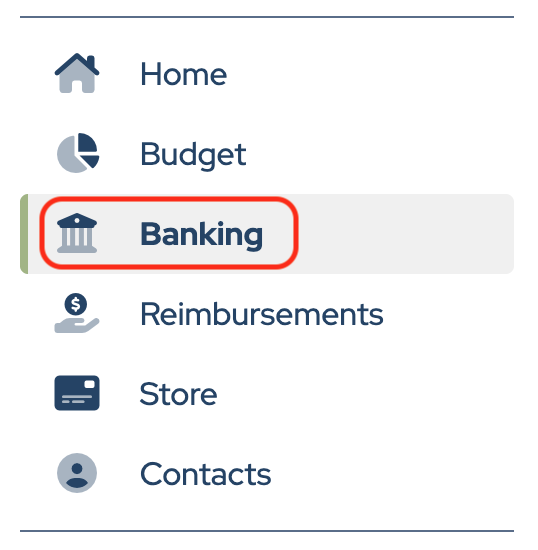
Click Banking in the sidebar.
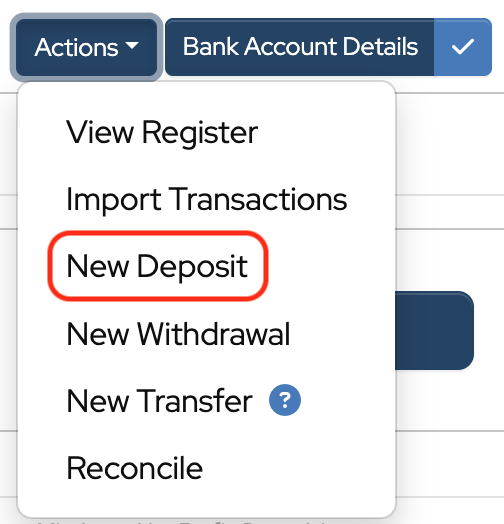
Click Actions to the right of the bank account.

Choose New Deposit from the dropdown.
- Date: If you want to clear things up as of this month, date the deposit for this month.
- Reference: “1234FIX”.
- Memo: “VOID uncleared check” or whatever is appropriate.
- Category: We suggest that it’s allocated to either the original category from which it was written or Donations.
- Details: “Check #1234 dated mm/dd/yy never cleared”.
- Amount: Enter amount.
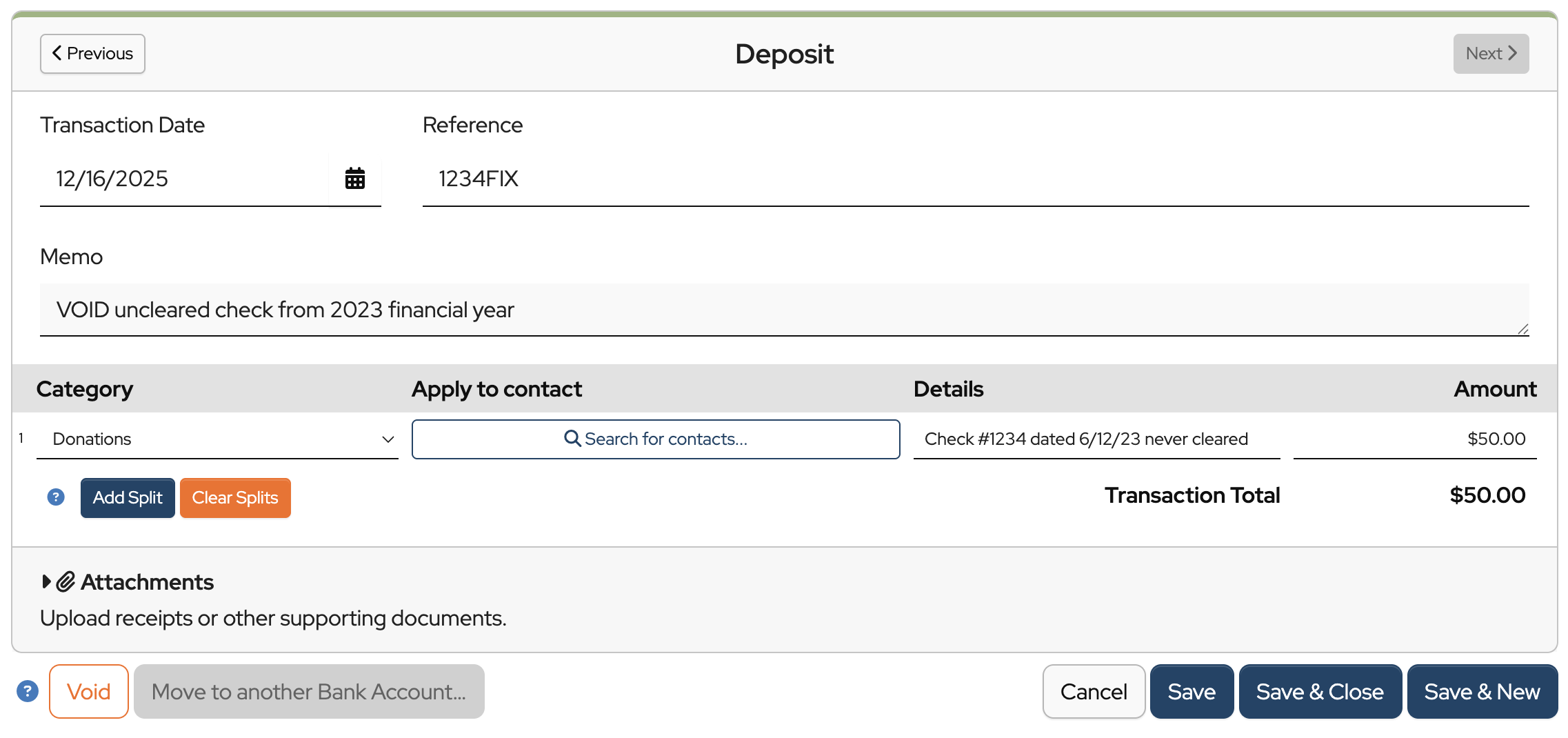
Click Save & Close.
When the next bank reconciliation is done, BOTH check #1234 and deposit #1234FIX should be checked off. They will cancel each other out and the net effect will be to add the $50 back to the MoneyMinder balance.
Note: Bylaws for some groups require board approval before a check can be voided this way. Check yours before proceeding.
To prevent this from happening in the future, consider adding a memo above the signature line on the checks that states, “Void after 90 days.”
Back to the top
Was this article helpful?
How do I void a check for a reimbursement that someone lost, but I was to reissue a new check. This is in a prior financial year? Should I void the check or just enter the new check #?
Hi Jenn,
If you have a check from a prior year that hasn’t cleared the bank (and you’re sure it never will), you’ll want to void it from your records, yet keep a paper trail.
Let’s say check #1234 was written last financial year for $50, hasn’t cleared the bank, and needs to be voided. Here’s how we suggest you record it:
Click on the Banking icon in the toolbar.
Click New Deposit under the bank account it is reflected in.
Date: If you want to clear things up as of this month, date the deposit for this month.
Reference: “1234FIX”.
Memo: “VOID uncleared check” or whatever is appropriate.
Category: We suggest that you allocate this to either the original category from which it was written, or Donations.
Details: “Check #1234 dated mm/dd/yy never cleared”.
Click Save & Close.
When you do your next bank reconciliation, check off BOTH check #1234 and the deposit #1234FIX. They will cancel each other out. The net effect will be to add the $50 back to your bank balance.
Note: Bylaws for some groups require board approval before a check can be voided this way. You might check yours before proceeding.
Warm regards,
Cyndi
To void an uncleared check, I did the deposit as noted above however the checks were from previous years. How do I clear out the prior year checks?
Hi Jodie,
When you do your next bank reconciliation you will tick off both the uncleared check and the offsetting deposit. This will net out to $0.00 so it won’t effect your bank balance but it will remove those old checks from the list.
Donna
This is a great discussion of dealing with previous year checks. What about donations and payments to the organization? For example, in cleaning up event equipment, I came across a donation jar no one had reported. I have a significant amount to ensure I relate this to the previous year’s event? Thank you!
Hi Mary,
MoneyMinder is cash-based accounting software, meaning deposits and withdrawals are applied to the budget in the year they occur. If you deposit money from donations in the current financial year even though the donations were collected for an event in the previous financial year, it will be applied in the current financial year. You could create a budget category in the current financial year called something like “Donations from prior financial year event” to track the amount, but it won’t count towards that event in the prior financial year.
Hi Traci,
I am having the opposite issue. Our up and coming fundraising chair for this year started reaching out for corporate sponsorships before our fiscal year ended and checks were deposited in FY 24-25 under “till” and we aren’t sure how to correctly represent that in our new fiscal year. Any suggestions on how to make this balance? Thanks!
Hi Amanda,
Because MoneyMinder is cash-based accounting software, any money you receive counts in the year it was received, so those sponsorships count as income in your 24-25 year.
However, what you may want to do so that you know the sponsorships were for the 25-26 year, is to create a budget category under the Direct Company Support heading in your budget and call it “25-26 Corporate Sponsorships received in prior financial year” (or something like that). Then you would enter the amount you received in the Budgeted Expense Column of that category. It goes in the Budgeted Expense column because it’s money you have to spend, not money you are expecting to bring in.
If you enter that new budget category and the amount you received under the Direct Company Support heading, you will be able to see the total of all the funds received (even from last year) in the Totals More/Less column for the Direct Company Support heading in the Treasurer’s Report.
This can be confusing until you understand it, so if you have questions, feel free to LiveChat during our hours 8:00 am – 5:00 pm PT.
Hello-
I was able to void the check from the prior year by following these steps. Now to reissue the check do I just write a new check like normal? Do I need to go in to the previous budget and note that the original check has been voided?
Thank you!
Hi Siobhan,
Yes, you will just write a new check and record it in your bank register just like any check. Because MoneyMinder is cash-based accounting software, voiding the check from the prior year will count in the current financial year and won’t affect last year’s budget. You can make a note in the Memo or Details of the original check that it was voided if you want, but it won’t affect the budget or reports in the previous financial year.