
How to Apply a Reimbursement to an Obligation
Watch Video
There may be times when you need to reimburse someone in your organization, but instead of receiving payment, they want to apply it to an amount they owe.
To do this, we’ll enter a withdrawal in the bank register.
In this example, we need to reimburse Betty and Archie Andrews $65.00 for the camping trip supplies they purchased. Instead of receiving payment, they want the amount applied to their child’s camping trip fees.
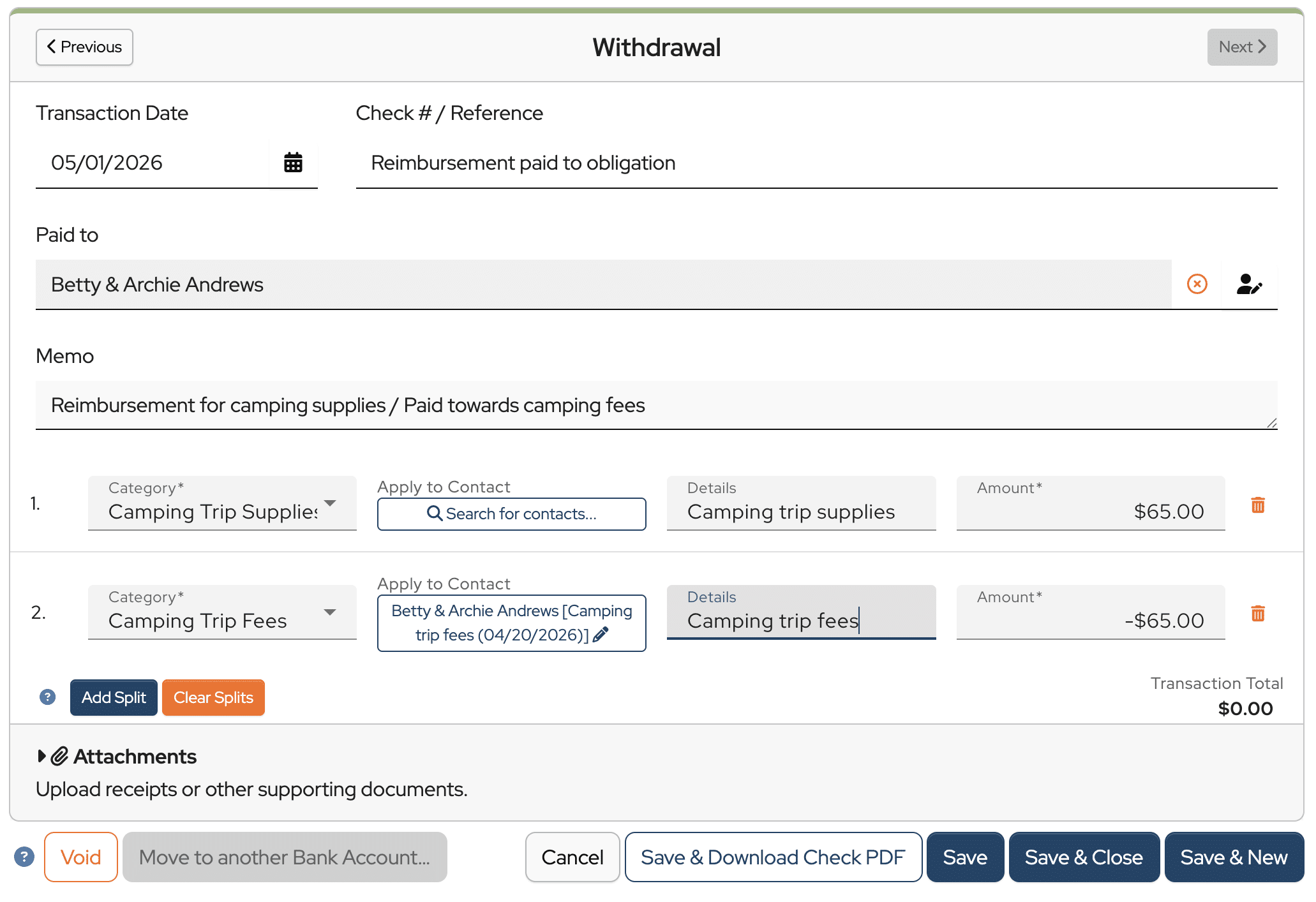
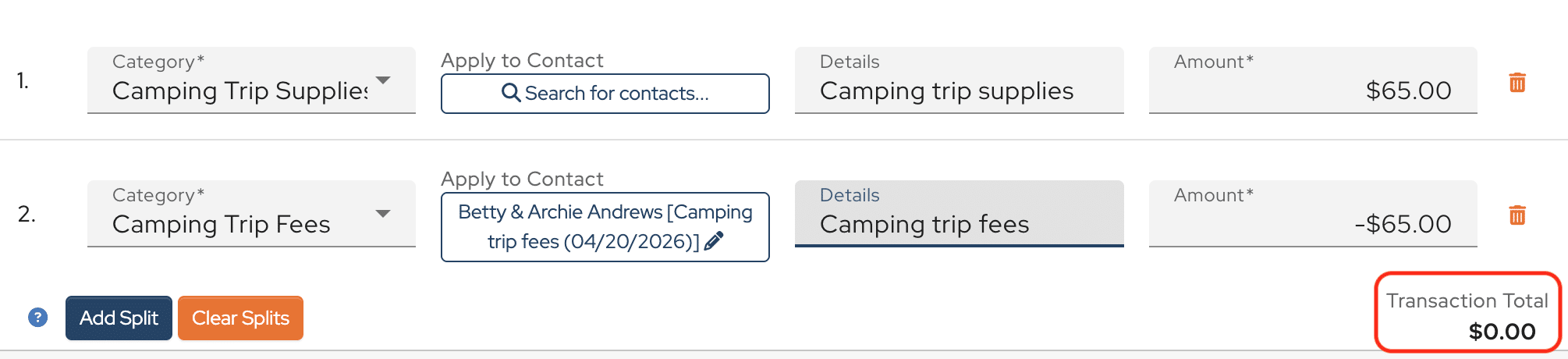
Notice that there are two splits in this withdrawal.
The first split is applied to the Camping Trip Supplies budget category and entered as a positive $65.00.

The second split is assigned to the Camping Trip Fees budget category and applied to Betty and Archie’s contact record for the camping trip fees. This split is entered as a negative $65.00.

The net amount of the transaction is $0.00, which is correct since no money is actually being withdrawn from the bank account.
Now let’s see how this appears on the Treasurer’s Report.
You see that $65.00 in expenses has been recorded in the Camping Trip Supplies category.

And $65.00 in income has been recorded in the Camping Trip Fees category.

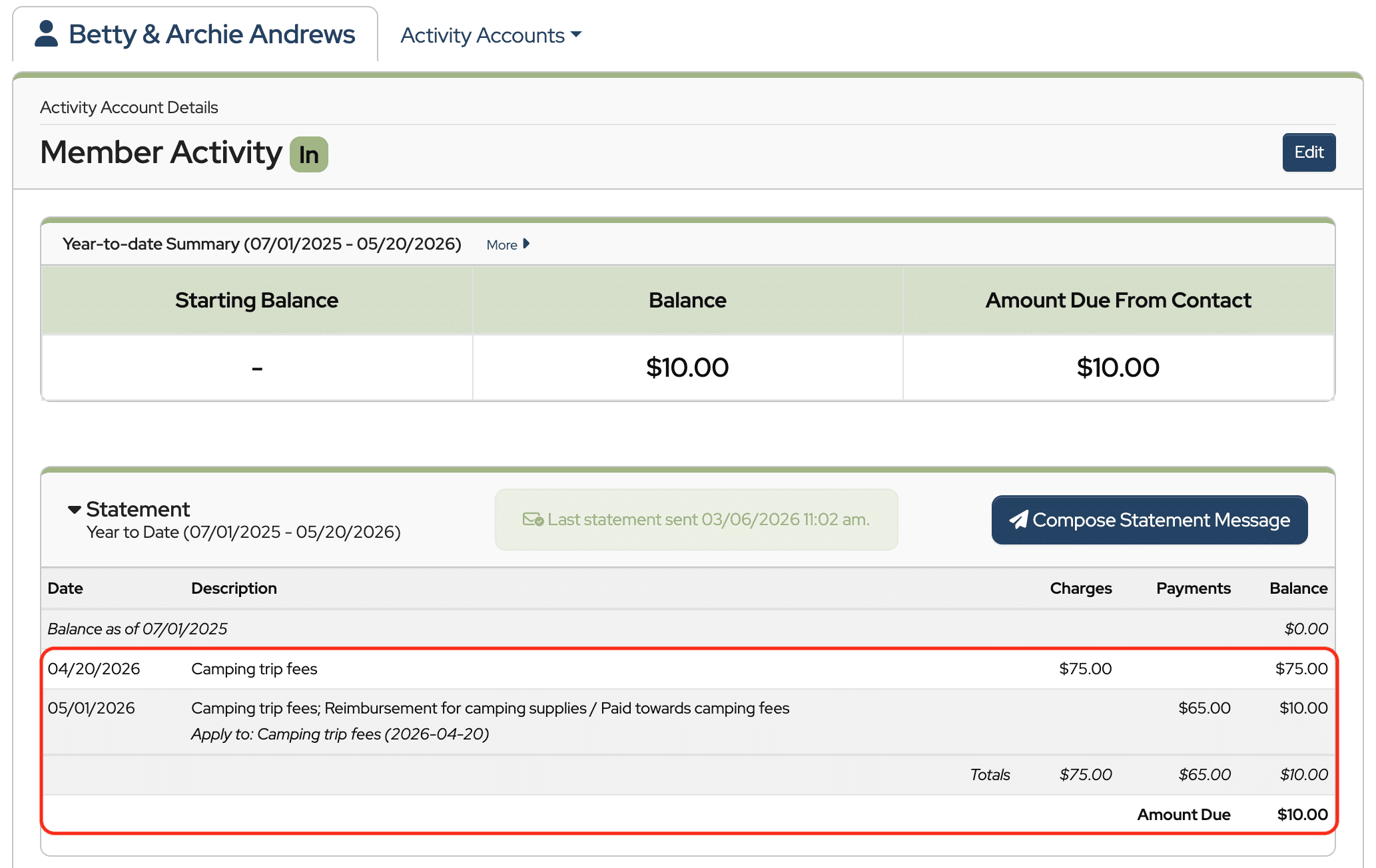
Now let’s look at Betty and Archie’s contact record.
You can see they now have just ten dollars remaining to pay toward camping trip fees after the reimbursement was applied.
And that’s how to apply a reimbursement to an obligation in MoneyMinder.