
Recording transactions from payment platforms like Givebacks or Givebutter
To record transactions from Givebacks or Givebutter, export payout summaries directly from the platform to get transaction details.
The summary will show the transactions included with each payout.

Record the payout deposit in MoneyMinder by either importing it from the bank or manually creating the deposit in your bank register.
If the deposit includes payments for multiple budget categories, you’ll need to split the deposit accordingly.
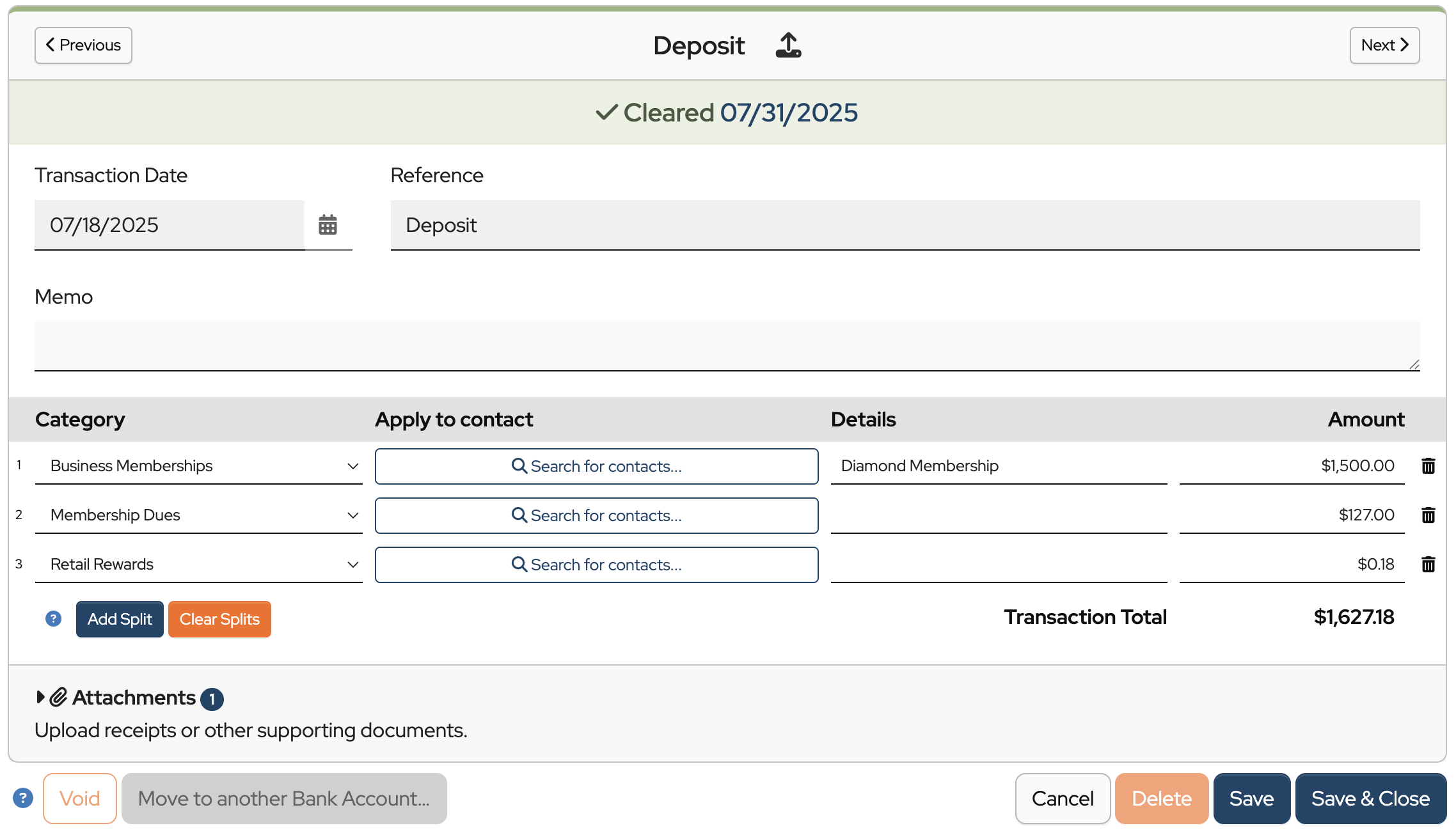
This example shows the deposit has three splits because the payments received were for three different budget categories.
The final step is to attach the payout summary to the deposit.
Click Save & Close.
Was this article helpful?
The most accurate way to track payments coming in from zeffy is to set up a register that mirrors your zeffy account. As a transaction hits zeffy, record that transaction in the zeffy register. Allocate the payment to various budget categories as appropriate.
When zeffy make a deposit to your bank, record a transfer from your zeffy register to your bank register. This is the most accurate way.
There is a way to export zeffy transactions into an excel spreadsheet. I then use an AI agent to convert this excel file into a format that I can then import into my zeffy register. This enables me to process many transactions rapidly.
Looking forward, zeffy does have a api and it would be awesome if the great folks at moneyminder could prioritize an integration with zeffy to just import transactions directly.
Even better would be to ditch the existing integration with that silly store front tool that takes a a cut off of every transaction, and replace it with zeffy that does not take a cut.
Hi Ray,
Thanks for your input on your process for recording transactions from Zeffy. This would definitely be another possible way to do it.
We appreciate your feedback.
Both Zeffy and CutTime would be high on my list of desirable integrations. The Zeffy report does not record the child’s name the payment applies to. Zeffy has that information and CutTime requires that information. Since not all parents’ last names match those of their children it gets messy to match everything up in Moneyminder.
We also decided against the integrated storefront based on cost. Parents choose to pay by check when faced with transaction fees, making my job even more challenging.
Hi Michiel,
We are currently considering adding more integrations. Zeffy is on our list to see if their API will allow it.