
Transferring money between budget categories
There may be times when you need to move money from one budget category to another. Recording this way allows reports to show the amount as income in one category and an expense in the other.
This is MoneyMinder’s version of a Journal Entry.
For example, a group might use part of the proceeds from a bake sale to help fund a new playground. In that case, funds would be transferred from the Bake Sale category to the New Playground category.
To do this, we’ll enter a withdrawal in the bank register.
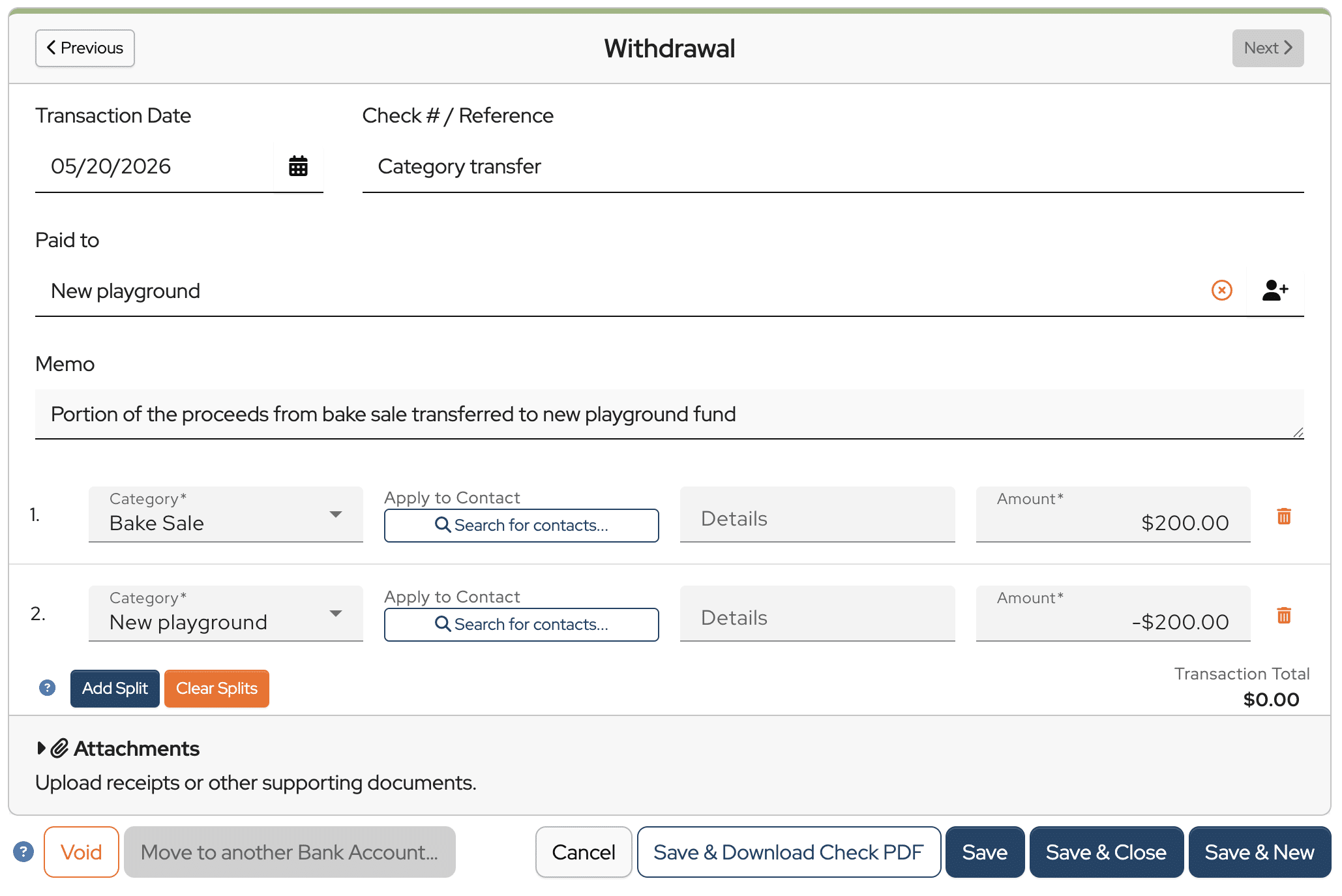
Notice that there are two splits in this withdrawal.
The first split is applied to the Bake Sale budget category and entered as a positive $200.00.

The second split is applied to the New playground budget category and entered as a negative $200.00.

The net amount of the transaction is $0.00 because no money is actually being withdrawn from the bank account. You are just reallocating funds that have already been received.
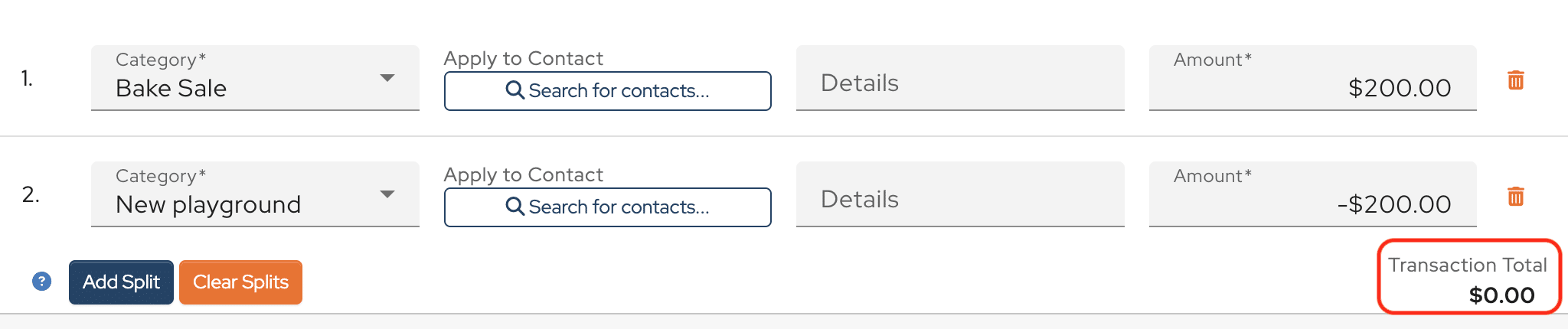
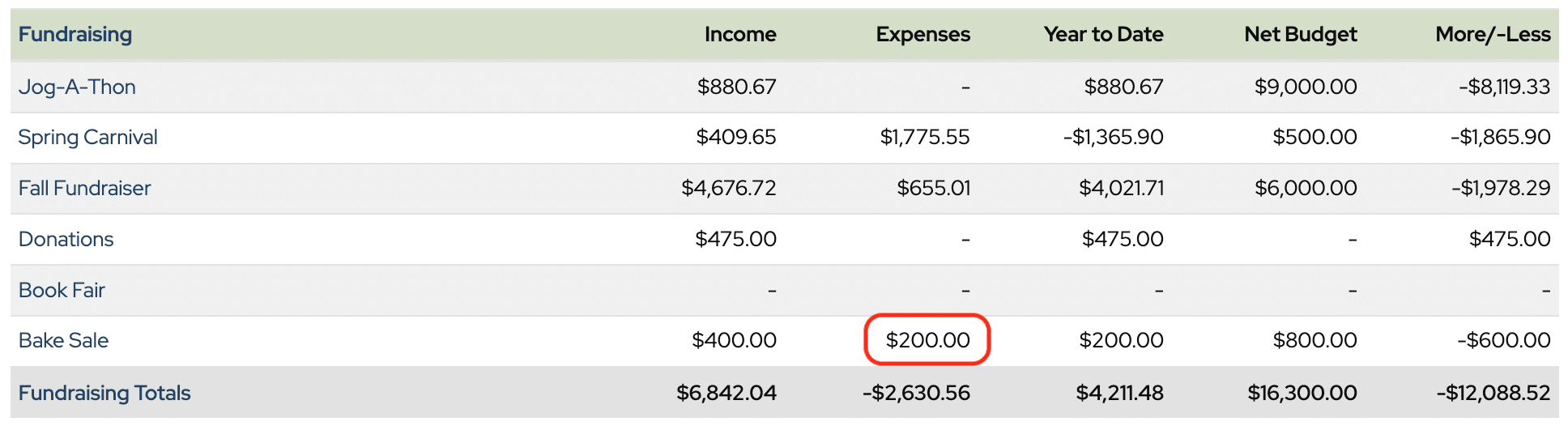
Let’s see what this looks like on the Treasurer’s Report.
You see that $200.00 in expenses now shows in the Bake Sale category.
And $200.00 in income has been recorded in the New playground category, increasing the balance of the new playground restricted fund.

Note: This will overstate both income & expenses and is important to remember when filling out the 990 or 990EZ.
So is this setting up a faux $0 transaction in the bank account register?
I had thought about setting up a “Clearing Account” for just this sort of category-to-category transfer, where every transaction would be a net $0 transaction, so I could keep these non-bank transactions out of the bank check register.
Hi Roger,
Yes, this type of transaction would be recorded in the bank register. You can set up a “Clearing Account” to keep them separate if you’d like. Keep in mind, that these transactions will inflate both income and expenses.
I need to do exactly what the example shows but when I ‘add a split’ how do a denote a withdrawal (negative amount) from one category and a deposit (positive amount) in the other?
Hi Megan,
Great question. If you follow the example in the knowledge base link, the negative portion of the split is the budget category that you are moving funds into.
Don’t hesitate to reach out if we can help.
Warm regards,
Julie
How does this affect tax filings if we use money minder to file taxes? If it inflates expenses in line categories, doesn’t that make the tax filing “off”?
Hi Sarah,
Yes, it will make your income and expenses on reports higher than they actually are, so your gross receipts in MoneyMinder will be inflated.
If you are only reallocating money in budget categories, it would be best to change the amounts in the budget, add notes, and get it approved by your board. Doing it that way doesn’t inflate income and expenses.
If you do need to transfer money between budget categories using the method described in the article, you can usually adjust those amounts out during the filing process for the 990-EZ.