
Announcing Free 990-N Filing for MoneyMinder Users!
Filing your nonprofit’s 990-N (e-Postcard) is now included in the price of MoneyMinder. Same tool, same workflow, same place you already keep your books.
A $50 savings, every filing year.
What is a 990-N?
The 990-N, also called the e-Postcard, is the annual return the IRS requires from most small tax-exempt organizations. It confirms your nonprofit still exists and still qualifies as a small organization for that year.
Who has to file a 990-N?
Tax-exempt, 501(c)(3) organizations with gross receipts of $50,000 or less in the fiscal year. That covers the majority of volunteer-run 501(c)(3)s.
When is the 990-N due?
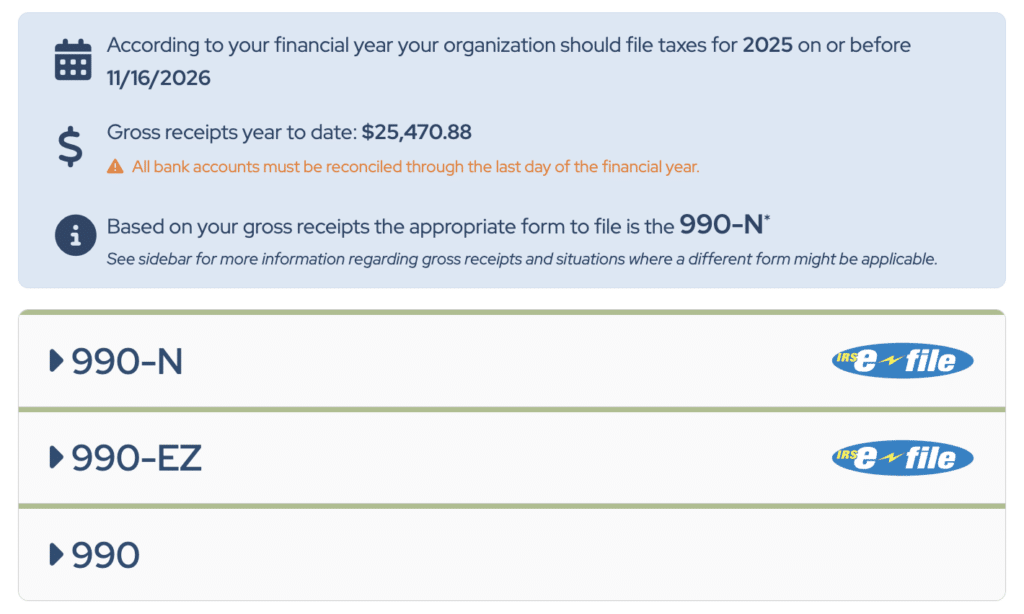
The 15th day of the 5th month after your fiscal year ends. For calendar-year organizations, that’s May 15. For a July through June fiscal year, that’s November 15. The IRS does not grant extensions on the 990-N.
What happens if I fail to file a 990-N?
Miss one year, and your filing status shows as delinquent. Miss three consecutive years, and the IRS automatically revokes your tax-exempt status. This happens to thousands of small nonprofits every year, and it almost always traces back to a volunteer treasurer stepping down without a clean handoff. Reinstatement takes months and an IRS user fee — plus the paperwork of proving you should never have lost the status in the first place.
Has your IRS tax-exempt status been revoked? Our partner brand Foundation Group can help you reinstate your 501(c)(3) status.
What if I don’t qualify for the 990-N?
Organizations above $50,000 file a different nonprofit tax form, such as the 990-EZ or full 990. Churches and certain other groups are exempt from filing altogether. If you’re not sure which return applies, the IRS publishes a decision tree — and MoneyMinder shows you which threshold your books put you in.
Why should I file my 990-N inside MoneyMinder
We can give you five good reasons:
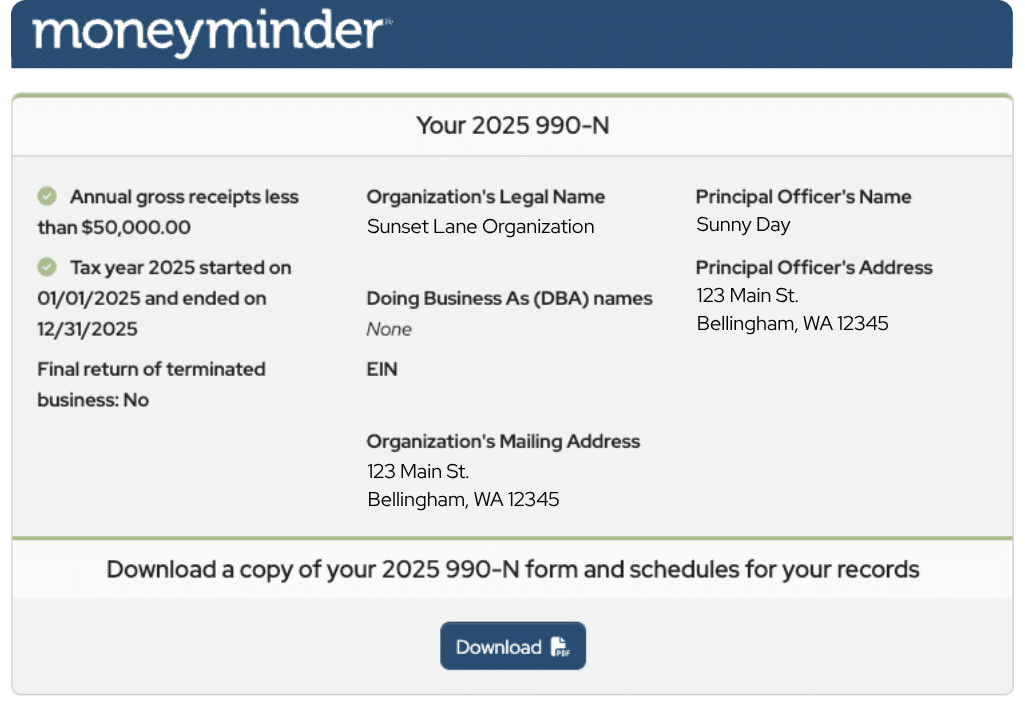
- Your gross receipts number is already right there. The single trickiest field on the 990-N is confirming your organization stayed under the $50,000 threshold. If you’re filing on IRS.gov, you’re either digging through bank statements or pulling reports from another system to check. In MoneyMinder, that number is a report you already run — no guessing, no cross-checking, no worrying that a late deposit shifted you over the line without you noticing.
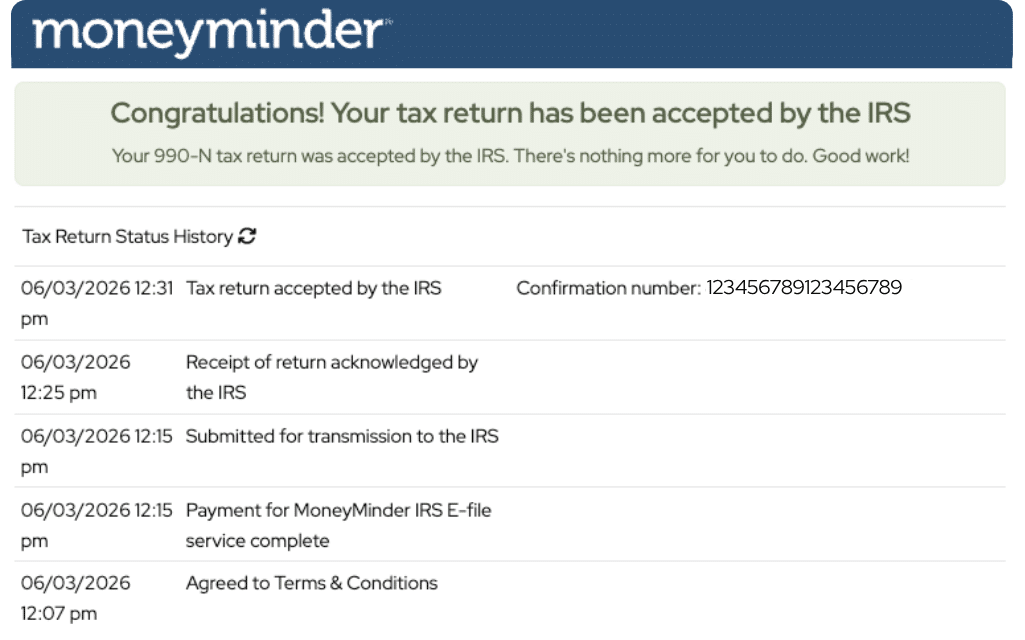
- You’ll know for certain the IRS accepted it. Filings submitted through MoneyMinder log the IRS’s acceptance directly in your account. No wondering whether it went through. No searching an inbox for a confirmation email that may or may not have arrived.
- Every past filing, in one place. Each year’s 990-N that was filed with MoneyMinder stays in your account alongside the acceptance record. No hunting through old email accounts or shared drives to prove you filed in 2023, 2024, and 2025. When the board asks or the next treasurer takes over, the history is right where the books are.
- One less login. Your books and your filing live in the same place, on the same login, for the treasurer sitting in the role today and every treasurer after.
- No separate IRS.gov account to set up. Filing on IRS.gov means creating an ID.me account, verifying your identity, and keeping those credentials somewhere the next treasurer can find them. Filing inside MoneyMinder skips that entirely — you’re already logged in, and there’s no second account to hand off at the end of your term.
How to file a 990-N in MoneyMinder
- From your dashboard, go to the Tax Forms tab
- Depending on your gross receipts, MoneyMinder recommends which 990 to file. This is only a recommendation based on what’s been input into MoneyMinder and may not fully represent the finances of the organization.
- Select Begin filing your 990-N
- Review the organizational info MoneyMinder has pre-filled
- Confirm gross receipts are $50,000 or less
- Submit to the IRS
That’s the full workflow. If your books are current, it’s under five minutes end to end.
How does 990-N filing in MoneyMinder compare to other options?
| Option | Cost | Where you file | What it does |
|---|---|---|---|
| IRS.gov (direct) | Free | Separate IRS portal | 990-N only |
| Paid filing service such as 501c3 Center | $199 | Separate account | 990-N |
| MoneyMinder | Free | Inside your existing account | 990-N alongside your bookkeeping |
The IRS filing tool is free but sits on its own portal, and you have to re-enter information that is already stored in MoneyMinder. Paid third-party services charge for what the IRS offers at no cost — what you’re paying for is a cleaner interface. MoneyMinder gives you the cleaner interface without the charge, because your data is already there.
Common questions
Yes. It’s included with every paid subscription ($299/year).
Yes. You must have started or renewed your subscription by July 1st, 2026 to receive the new free 990-N benefit.
If your annual gross receipts are close or just over $50,000, take a look at the average of your last three years. If your gross receipts average $50,000 or less for the current year and the two previous years, file the 990-N. If they are above that, you’ll likely need to file a 990-EZ or other form. You can still file the 990-EZ in MoneyMinder for a small fee.
Yes. You can file 990-Ns for the current year and the two prior years directly in MoneyMinder — three years total — at no additional cost as a paid subscriber. If your organization is more than three years behind, tax-exempt status may already be at risk; Foundation Group can help with reinstatement.
Ready to file?
If your fiscal year has closed and your books are current, you can file in the next five minutes. Sign in to MoneyMinder to begin →