
You’ve asked and we’ve listened! We are happy to announce the first set of improvements to our Reimbursement module.
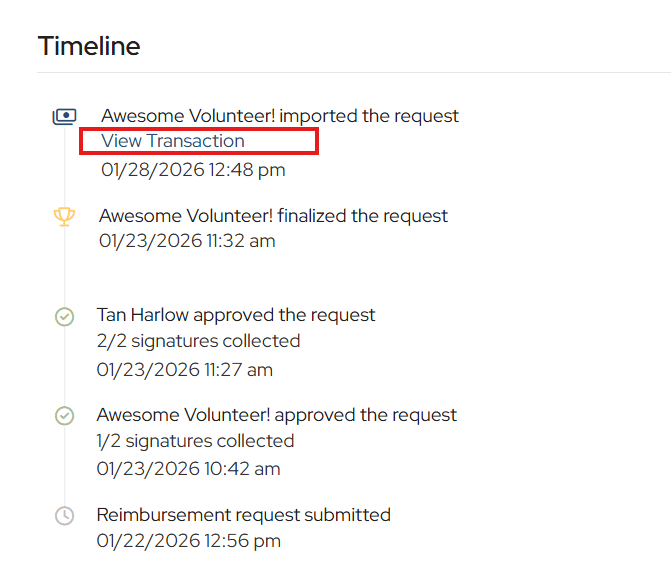
Link from the request back to the banking transaction with a click.
From the banking side, you can click on the hand icon and return to the reimbursement, making it easier to audit reimbursement transactions and reference back and forth.
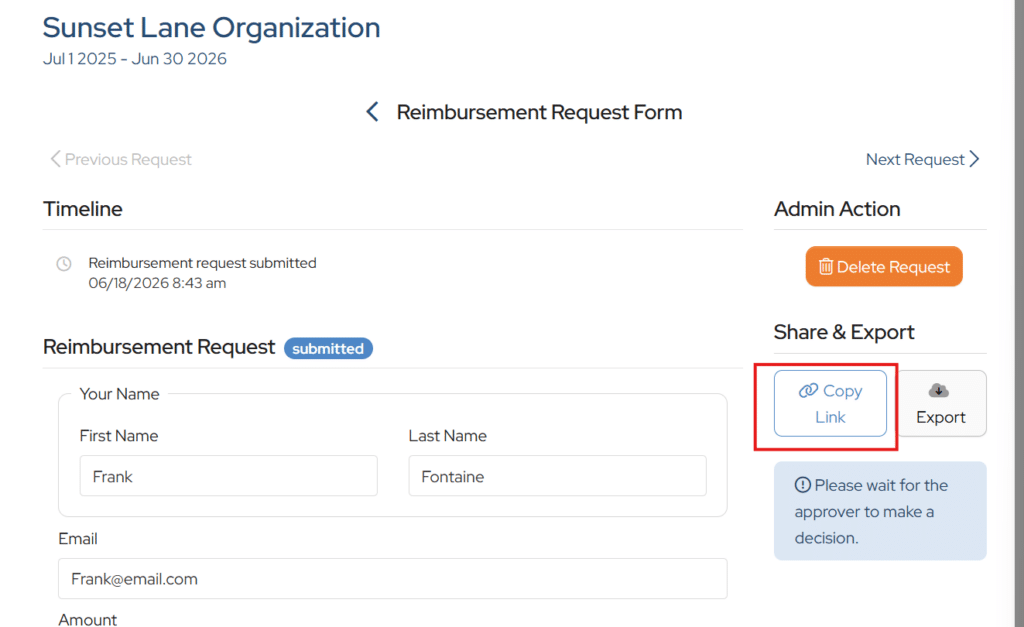
Need your requestor to make some changes before approvals can happen?
We have provided the unique link to communicate back with your requestor using your group’s email. This way, you can communicate the changes you need that are specific to the request. Just click Copy Link and paste it into your email. Please be aware that this is the unique link for this request and should only be shared with the original requester. Editing can only happen before approvals begin.
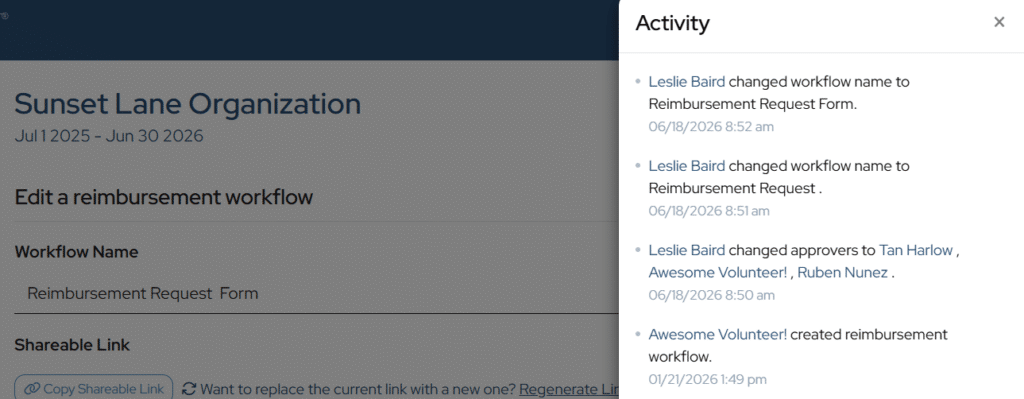
New audit trail for reimbursement workflow changes.
Within the Reimbursement workflow, you can now click the Activity button to view the changes that have been made.
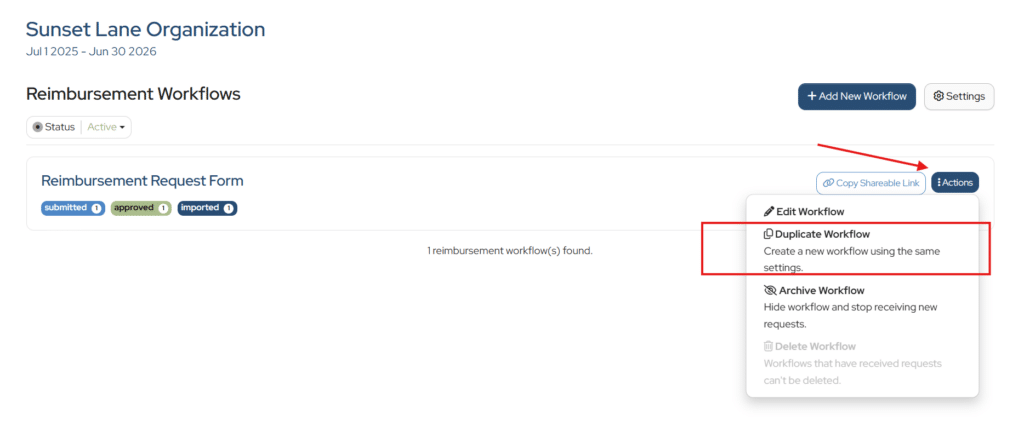
Duplicate an existing workflow.
We’ve added the ability to duplicate an existing workflow. Click the Actions button next to the workflow and then Duplicate Workflow.
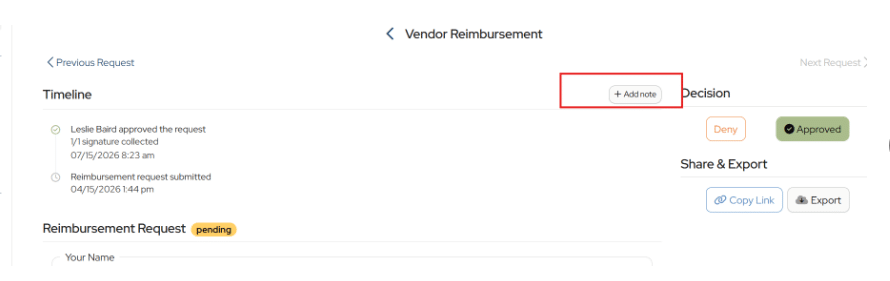
Add notes and attachments to your approval.
During the approval process, you may want to add an internal note or an attachment. You can do this now, before the request is finalized, by clicking Add Note. Please note these notes and attachments are not shared with the requester and the attachments do not automatically upload to an associated banking transaction.
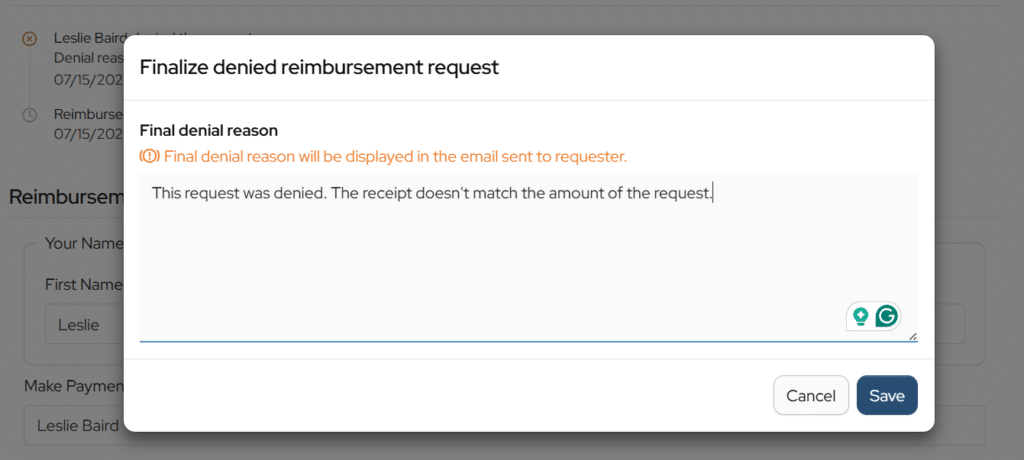
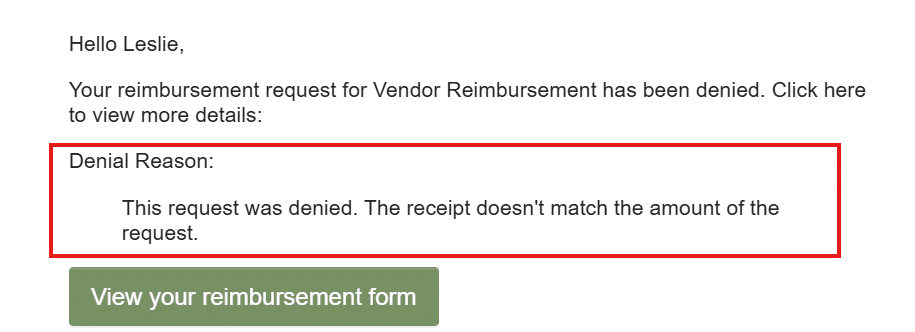
Communicate your denial reason.
When a denied request is finalized, you can add a note for the requester to know why the request was denied.
Would be great if we could connect the transaction from the bank statement to the reimbursement request.
Hi Vanessa,
Thanks for your suggestion. This option has been discussed. I will add it as a feature request.
Is it possible to expose the reimbursement ID in the reimbursement export? Is it also possible to export all of your reimbursements as an csv with those IDs instead of PDFs? And then is it possible to add a field for reimbursement ID when you import the transaction from the bank to be able to connect them or like a dropdown to select the reimbursement? Importing the reimbursement to bank doesn’t work well because they’re usually submitted on different dates than when the transaction is processed.
Hi Vanessa,
At this time, the only option for reimbursements is to export to PDF, but I will add a CSV export as a feature request and include the reimbursement ID in the export. We hope to deploy a feature in the coming year to match transactions.
Our PTA requires two approvals before I can can process the checks for payment. I am not allowed to be one of the two approvers, but am waiting for this step to be completed. Currently the only way to know if this is complete is to go into Money Minder to check which reimbursements have been approved. It would be fantastic if Money Minder had the option to configure a notification to a selected recipient when the final approval has been made, and the reimbursement moves to status Pending. This feature would enable me to support our members better with faster, more consistent payment practices and reduce the time I have to take logging in to the system to check on Reimbursements.
Hi Heather,
I will enter your suggestion as a feature request.